Top Wearable Tech for Health and Fitness: Features to Compare
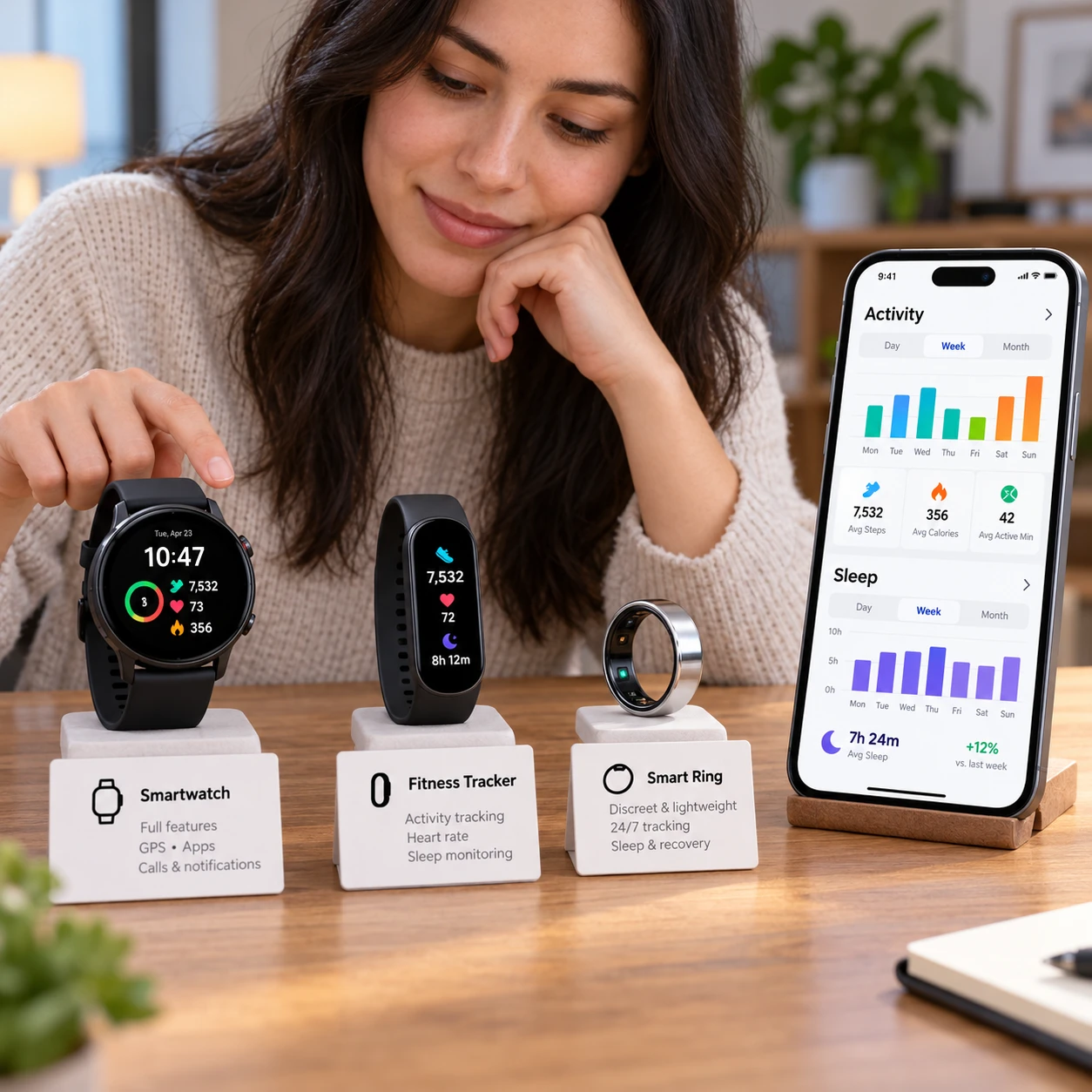
Wearable tech can make everyday movement and workout routines easier to track. Smartwatches, fitness trackers, and other wearable devices collect information such as steps, heart rate, sleep patterns, and GPS-based activity, then present it in a companion app. The right choice depends on which measurements you will use, how comfortably you can wear the device, and whether it works with your phone.
How Wearables Support Health and Fitness Goals
Wearables support health and fitness goals by recording activity and selected body signals over time, helping you notice patterns and keep track of routines. They are most useful for monitoring trends and progress, not treating individual readings as definitive health results.
Activity and step tracking can show how movement varies across the day, while workout modes help organize sessions such as walking, running, or cycling. Heart-rate monitoring can offer context during exercise and recovery, although readings may vary with fit, motion, and device design. Some devices also estimate sleep duration or stages, which can help you compare nights rather than judge sleep from a single score.
GPS tracking is useful for mapping outdoor routes and estimating distance without carrying a phone, but built-in GPS can use more battery. Wearables may also display health metrics such as resting heart rate or estimated oxygen saturation, depending on the model and region. These features can encourage consistency, but a reminder or goal is only helpful if it fits your real schedule and activity level.
Smartwatches, Fitness Trackers, and Other Wearables
The main difference is that smartwatches combine health and fitness tracking with broader phone features, while fitness trackers focus more narrowly on activity and wellness data. Other formats, such as smart rings, prioritize discreet wear and may have fewer on-device controls.
Smartwatches
Smartwatches typically offer a screen for workout summaries, notifications, timers, and sometimes calls or contactless payments. They suit people who want one device for everyday phone tasks and exercise tracking. The trade-offs can include a larger case, more distractions, and shorter battery life than simpler trackers, especially when GPS, an always-on display, or frequent notifications are enabled.
Fitness trackers and other formats
Fitness trackers often have a lighter design and simpler interface, making them a practical option for step counts, basic workouts, and sleep tracking. Some last longer between charges because they use fewer power-hungry features, though the display and app experience may be more limited. Smart rings and other wearable formats can feel less conspicuous, but check which metrics they actually provide and whether their app presents useful detail.
There is no universal winner. Compare specific models by the features you will use, rather than assuming every smartwatch is more capable or every tracker lasts longer. Battery life varies with settings and use.
Features to Look for When Choosing a Wearable
Choose a wearable by checking its tracking features, fit, battery life, phone compatibility, and companion app before comparing extras. A device that records the right information and is comfortable enough to wear consistently is more useful than one with a long feature list you rarely open.
- Tracking capabilities: Confirm the device supports your activities, heart-rate monitoring, sleep tracking, and GPS needs. Check whether GPS is built in or requires your phone.
- Comfort and durability: Consider case size, band material, weight, water-resistance rating, and how the device feels during sleep or exercise. A poor fit can make wearing it less pleasant and may affect sensor readings.
- Battery life and charging: Look at the maker’s stated estimates, then check whether they assume limited GPS or screen use. Frequent charging may interrupt sleep tracking or make the device inconvenient on longer trips.
- Device compatibility: Verify the wearable works with your phone’s operating system and check for any model or software requirements. Some features may be restricted when paired with a different brand of phone.
- Companion app experience: Review how the app displays trends, handles notifications, and shares or exports data. Also check account requirements, privacy settings, and whether any features require a subscription.
Think of the choice as a five-part fit test: tracking, wearability, power, pairing, and presentation. If a device fails on one of these basics, advanced metrics may not compensate. For example, built-in GPS is valuable to a phone-free runner, but unnecessary for someone who mainly wants daily step tracking.
Matching a Wearable to Your Needs
Match a wearable to the activity you expect to track most often, then check that its comfort, battery life, and app fit your routine. Start with one primary use rather than paying for features simply because they appear on a specification sheet.
- For outdoor running or cycling: Prioritize reliable GPS options, workout controls you can use in motion, and battery capacity for your typical session. Decide whether you want the device to record a route without your phone.
- For gym and class workouts: Look for comfortable heart-rate monitoring, easy-to-start workout modes, and a screen or controls that are simple to use between sets. A smaller tracker may be less distracting.
- For everyday movement: Step tracking, clear activity summaries, and manageable reminders may matter more than advanced sports metrics. Check that the goal settings can be adjusted to suit you.
- For sleep and general wellness trends: Consider overnight comfort, battery life, and whether the app makes it easy to compare patterns over time. Check charging routines so the device is available at bedtime.
Before buying, write down your three must-haves and one acceptable compromise. That could mean choosing longer battery life over a rich app, or a detailed workout display over a slimmer design. If possible, try on the device or check the return policy; comfort is difficult to judge from a product page.
Getting Useful Data from Your Device
To get useful data, set up the wearable correctly, wear it consistently, sync it with its companion app, and interpret changes as trends rather than verdicts. Consistent use makes comparisons more meaningful, though it cannot eliminate sensor or estimation errors.
During setup, install the official app, pair the device as directed, and review permissions and privacy controls. Enter profile details only where needed, set activity goals you can realistically maintain, and adjust notifications so the device supports your routine instead of interrupting it. Follow the manufacturer’s guidance on band position and fit; a loose or poorly positioned sensor may affect readings.
Sync regularly, especially if the device stores only a limited amount of history locally. Check that timestamps, units, and activity labels look right. When reviewing results, compare similar periods: a week of walking to another week of walking is more informative than comparing a quiet holiday with an unusually active work week.
Use a short interpretation rule: check the pattern, check the context, then decide whether to act. A lower step count may reflect a change in schedule, not a device problem. A heart-rate reading during movement may be less stable than one taken at rest. If a number seems unusual, repeat the measurement under comparable conditions and consult a qualified professional when health concerns persist.
Limitations and Responsible Use
Consumer wearables provide estimates and are not a substitute for medical assessment or professional advice. Their sensors can be affected by movement, fit, skin contact, battery state, and the way an app processes data, so one reading should not be treated as a diagnosis.
Different devices may report different results because they use different sensors and algorithms. Sleep stages, calorie estimates, and other derived metrics are especially easy to overinterpret as exact measurements. Use them as broad context for personal routines, not as proof that something is wrong or a guarantee that everything is fine.
Common mistakes are easy to avoid:
- Chasing every alert: Notifications can prompt useful checks, but consumer readings may produce false alarms. Review the device’s guidance and seek professional advice for persistent symptoms or concerns.
- Comparing numbers across brands: Different algorithms may make direct comparisons unreliable. Track changes on the same device under similar conditions instead.
- Ignoring privacy and support: Health-related data may be stored in an account or shared through connected services. Review app permissions, data controls, update support, and the manufacturer’s privacy information before relying on a platform.
For background on how the U.S. Food and Drug Administration distinguishes general wellness products from medical devices, see its general wellness policy for low-risk devices. Regulations and product claims vary, so check the rules that apply where you live. A wearable can help you notice patterns and organize activity, but it cannot confirm or rule out a health condition.
Frequently Asked Questions
What’s the difference between a smartwatch and a fitness tracker?
A smartwatch usually combines fitness tracking with phone-related functions such as notifications and apps. A fitness tracker typically focuses on activity and wellness features, often with a simpler interface. Actual features vary by model.
Which wearable features are useful for workout tracking?
Useful features depend on the workout. GPS can help map outdoor routes, heart-rate monitoring can add context to exercise, and workout modes can organize sessions. Comfort, controls, and battery life matter too, especially during longer activities.
How important is compatibility with a phone?
Compatibility is essential for pairing, syncing, app access, and software updates. Check the manufacturer’s supported phone models and operating systems before buying, and confirm whether any features require a particular phone brand.
Can a wearable diagnose a health condition?
No. Consumer wearables can provide estimates or alerts, but they cannot diagnose a health condition. Discuss concerning symptoms or persistent readings with a qualified healthcare professional.