Behind the Scenes: How Tech Brands Design New Products
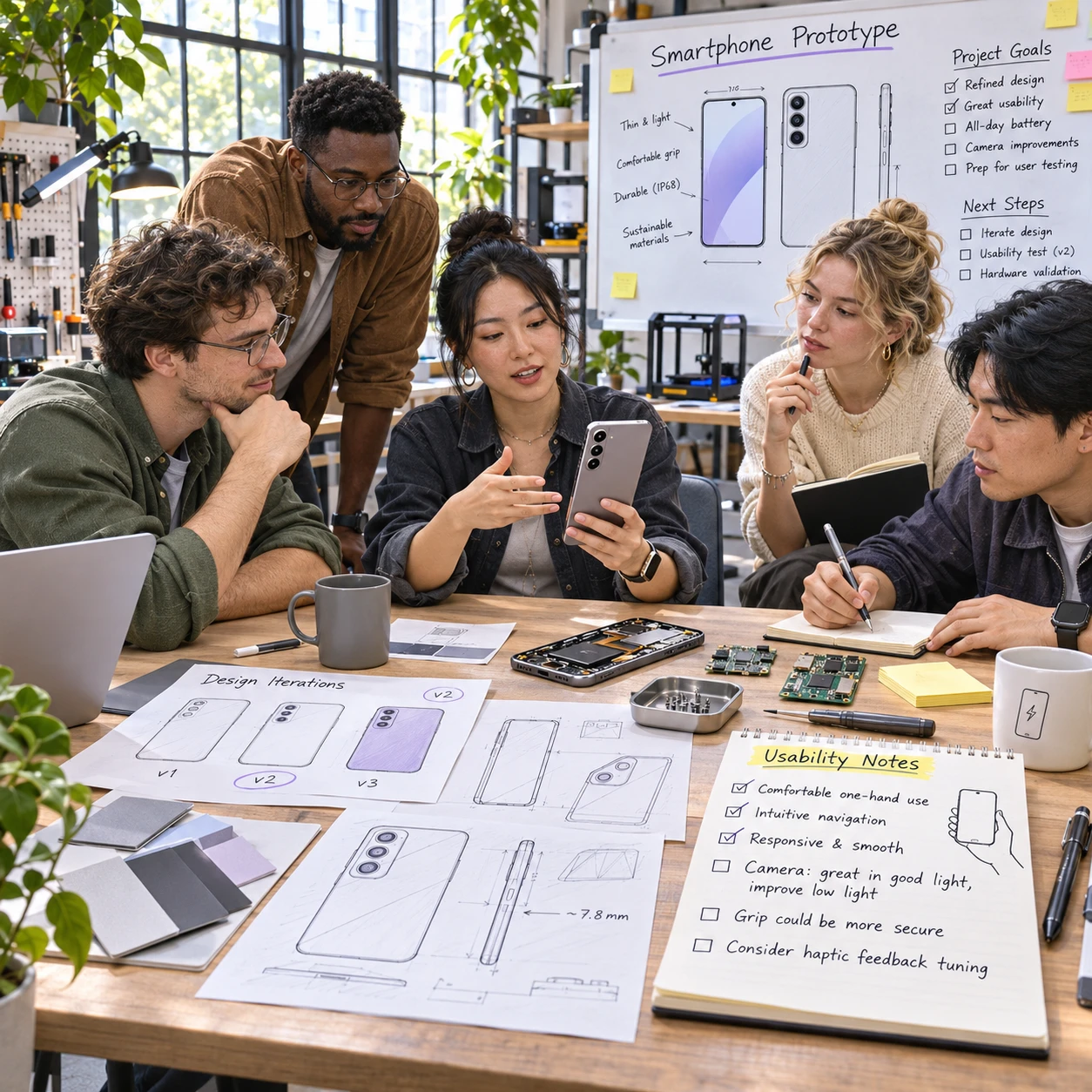
A new device may look simple on a store shelf, but its design usually reflects many rounds of research, engineering, testing, and revision. From the first user problem to post-launch updates, teams make choices that affect how a product feels, works, and can be supported.
Product ideas start with a problem to solve
Tech product ideas begin with a user need, a market gap, or a persistent problem with existing products. User research helps teams understand who experiences that problem, when it occurs, and what a useful solution would need to do.
Research can include interviews, surveys, observation, support-ticket analysis, and feedback on current products. A team developing a home router, for example, might learn that customers struggle less with raw internet speed than with confusing setup steps and unreliable coverage in distant rooms. That finding can shift the concept toward clearer onboarding and better signal management.
Market context matters, too. Teams consider competing products, available technologies, expected price, regulations, and changes in how people work or communicate. These signals help establish whether an idea is worth exploring, but they do not prove that customers will adopt it.
A useful early question is: What is the smallest meaningful improvement for a specific group of people? Keeping the problem focused reduces the risk of adding features that increase cost or complexity without addressing a real need.
Turning a concept into product requirements
Product requirements turn a broad idea into specific goals, constraints, and measures of success. They give design, engineering, and business teams a shared reference for deciding what the product must do and what it can reasonably cost.
Requirements often cover core functions, performance, battery life, materials, dimensions, accessibility, privacy, reliability, and compatibility with other devices or services. Teams also define the intended user experience: how someone sets up the product, completes common tasks, handles errors, and gets help.
Good requirements distinguish essentials from preferences. For a wireless speaker, an essential might be reliable pairing with supported phones; a preference might be a particular finish. This distinction helps when engineers discover that a desired feature would shorten battery life, raise the price, or delay a critical reliability fix.
- User need: What task or problem should the product address?
- Product requirement: What must it do, and under what conditions?
- Success measure: How will the team tell whether it works well?
- Constraint: What limits cost, size, power, materials, or delivery?
Requirements can change as teams learn more. The goal is not to freeze every detail on day one, but to make changes visible and understand their consequences before they spread across the product.
Design and engineering work together
Industrial design and engineering work together to make a product useful, feasible to build, and appropriate for everyday use. Appearance matters, but it must fit with hardware, software, manufacturing, accessibility, and support needs.
Industrial design considers shape, materials, controls, comfort, and how a device fits into its surroundings. Hardware engineers assess components, power, heat, durability, and internal space. Software engineers build the interface, connectivity, and features that make the hardware work as intended.
These decisions influence one another. A thinner device may be easier to carry, for instance, but leave less room for a large battery or effective heat management. A touch control can create a clean surface, yet be harder to use without looking than a physical button. Teams compare these trade-offs against the product requirements rather than treating any one design choice as automatically best.
Accessibility belongs in the design process from the beginning. Clear text, adequate contrast, adjustable sound, screen-reader compatibility, and controls that work for people with different mobility or sensory needs can make a product easier for many customers to use. Retrofitting these features late may require larger changes to hardware or software.
Design reviews bring specialists together to catch conflicts early. A control that looks elegant in a rendering may be difficult to reach on the real device; an interface that works in a mock-up may behave differently when connected to actual sensors. Collaboration helps reveal such gaps before they become expensive to fix.
Prototypes make ideas tangible
Prototypes are working models or mock-ups that let teams examine how a product looks, feels, and behaves before committing to final production. They can range from a paper interface or 3D-printed shell to an electronic device with near-final components.
Early prototypes answer focused questions. A foam model can test size and grip without functioning electronics. A software prototype can show whether people understand the setup flow. Later builds may combine hardware and software to expose issues involving battery use, wireless connections, heat, or physical controls.
Teams should match the prototype to the question. Building a polished, expensive model too early can waste time if the basic interaction still needs work. On the other hand, a rough mock-up cannot confirm long-term reliability or production quality. Each version offers evidence, but only within its limits.
Prototyping also gives product teams a chance to observe real behavior. Someone may hold a device differently than designers expected or miss a status light in a bright room. These small discoveries can lead to changes in shape, placement, labeling, or software prompts while the design is still flexible.
Testing reveals what needs to improve
Testing shows whether a product meets its requirements and works well in realistic conditions. Usability testing, reliability testing, and quality assurance examine different risks, and teams use the results to guide revisions.
Usability testing asks people from the intended audience to complete realistic tasks, such as connecting a device, changing a setting, or recovering from an error. Researchers watch where participants hesitate, make mistakes, or ask for help. A successful test is not simply one in which a participant eventually finishes; the team also looks at whether the steps feel clear and repeatable.
Reliability testing checks how a product performs over time and under varied conditions. Depending on the device, tests might examine repeated button presses, temperature changes, drops, charging cycles, or wireless performance. Quality assurance (QA) checks that hardware and software meet defined specifications and that a fix in one area has not caused a fault in another.
Results often expose competing priorities. A stronger casing may improve drop resistance but add weight. More frequent software checks may improve security while using more power. Teams assess the evidence, the likely harm if a problem occurs, and the cost of making a change.
One common mistake is treating a passed test as proof that every user will have a good experience. Tests cover selected people, tasks, and conditions, so gaps remain possible. A better approach combines different test methods, records known limitations, and retests changes that affect critical functions.
Launch is not the end of the design process
Launch starts the next stage of product design: learning from real-world use and improving the product over its lifecycle. Customer feedback, performance data, software updates, repairs, and technical support can all reveal needs that testing did not uncover.
After release, teams may track recurring setup questions, reported faults, return reasons, and feedback from users. A cluster of support requests about pairing could point to unclear instructions, a software bug, or an incompatibility with a particular device. Each possibility calls for a different response, so teams need to investigate patterns rather than assume every report has the same cause.
Technical support is part of this feedback loop. Support staff hear where people get stuck and can share recurring issues with product and engineering teams. Better troubleshooting guides may solve an immediate problem; a product update may be needed if the design itself repeatedly causes confusion.
Updates also involve trade-offs. A software change can extend functionality or address a security issue, but it needs testing across supported devices and versions. Hardware changes may be more difficult once manufacturing is underway, which is one reason teams weigh repairability, documentation, and component availability during early design.
A product’s lifecycle includes its launch, maintenance, updates, support, and eventual retirement. When teams treat those stages as part of design, they can make more informed choices about reliability, accessibility, and the help customers will need after purchase.
Frequently asked questions
How long does it take to design a new tech product? There is no single timeline. A product’s complexity, regulation, supply chain, software needs, and test results all affect how long development takes. A simple accessory and a connected device with custom hardware require very different processes.
What is the difference between a prototype and a final product? A prototype is built to explore or test specific ideas. It may use temporary materials or incomplete software. A final product is designed for consistent manufacturing, meets its requirements, and has gone through the relevant validation and quality checks.
How do brands test whether a device is easy to use? Teams ask people from the intended audience to complete realistic tasks while researchers observe. They look for confusion, mistakes, delays, and requests for help, then revise and test the design again.
How does customer feedback influence product updates? Teams review feedback for repeated patterns, verify the underlying cause, and decide whether the response should be clearer guidance, a software change, a hardware revision, or a support improvement. Individual reports matter, but recurring evidence helps teams prioritize changes.